Making an "octopus" emitter -- by accident    23 Jul 00
(or "How I make most of my emitters")


(Note: the Illusion project files and images used here can be found at the end of the 2nd page of the tutorial, and CAN be loaded by the demo version of Illusion.)


Somebody once asked me how I make so many cool emitters, and I replied "by accident usually". They didn't buy that one, although it's true. Well, partially true. Sometimes I do just start playing around with an emitter and it mutates into something completely different, other (rare) times I try for something specific and actually achieve it, and still other times that I try for one thing and end up with something completely different. Here's how it happens...


In my undersea animation, I have two types of creatures -- the "jellyfish", and the "sea snake". No, it doesn't really look like a snake, so I thought that with the right image, I just might be able to make it look like a real snake. So, first I started with the "sea snake" emitter.


Then I started looking for images of snakes. I wanted a nice big closeup (or even a small closeup) of a snake body so I could use the scales -- maybe make a round shape out of it using an alpha channel. I did find some decent snake images, but they weren't very big. Since I was tired of looking, I decided to just use this image:


Wasn't big enough, so I thought I'd just start with the entire snake, not just a small part of it. I still thought that a roundish image would work best (snake bodies are round, right?) so I hand drew an alpha channel mask for the image, ending up with this:


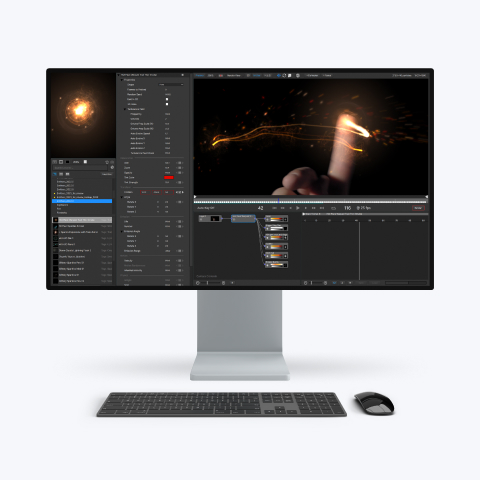
So I had the image (saved as TGA), now I needed to get it into Illusion. I just added the sea snake emitter to the stage, then r-clicked and selected properties to open the props dialog. Then clicked the "particles" page and selected the "change shape" page. Then clicked the "New Shape (do not add to library)" button and selected the image. Since I wanted it to look like a "real" snake (as photorealistic as possible), I imported the image as a "full-color" shape.


Since the sea snake emitter I started with had its particle type flagged as "intense", I needed to uncheck the "intense" option (since "intense" makes a full-color shape work like a greyscale shape, which I didn't want).


The green was also distracting me, so I changed the particle type color (in the color gradient) from dark green to white.


Ok, it looked different at this point but sure didn't look like a real snake. So this is when I started really playing around. Adjusting size, spin etc. I already knew from previous experimentation (in the June '00 emitter library) that adding some spin would look pretty cool, so that's what I did. I also changed "size over life" so the particles started small, grew, then got small at the end of their lives. What it looked like at this point was a big fat worm-like thing:


The more I dragged this thing around (in the preview window) the more creeped out I got. What it really reminded me of was those really fat caterpillars I used to see in my neighbor's garden growing up -- I think on the tomato plants. So, I thought I'd try to complete that effect (caterpillar) by giving this one a "head". I started trying to use a separate particle type and shape for this, but I couldn't get anything that looked good. I tried "single particle", using very short lived particles, using "attached" particles -- but everything looked stupid. I was trying to get a black head for the creature.

After a break (need those once in a while) I had the idea to just make the particle color black to start with, then go to white. After a little tweaking, that worked great! Here's the final product:


Not exactly a snake, but cool in my opinion.

Oh, one last "trick". You'll notice that the "worm" sections always draw correctly (in order). That's because I used the "keep particles in order" option for this emitter. Remember that when you use this option, you need to have a "zoom" parameter that is changing over time, otherwise Illusion won't know what order to draw the particles in (newest first, or oldest first). So, I jumped to frame 400 (or something like that) and set the emitter "zoom" value to 101 (using the new "numeric" entry -- press "F" then 400 to jump to frame 400, then "N" and 101 to set the value to 101). Since the "zoom" value increased from 100 at frame 1 to 101 at frame 400, there is no visible change in zoom, but it's enough of a change to let Illusion know to draw the particles oldest first.

If you want the "worm" to look like it was moving away from the "camera", you can set the "zoom" value to 99 instead of 101. The decreasing zoom value would cause the particles to be drawn newest first instead.


Ok, I now had a cool (creepy) fat worm emitter and had forgotten all about the "snake". I kept going with the "fat worm" theme...

Next Page


Alan Lorence    23 Jul 00