free apps:
particleView
Gloodle
Looking for the free monthly
emitter libraries? click here

particleView has a search function so you can find the emitters that you're looking for!

You can make some very complex images with Gloodle


particleView

StumbleUpon
Stumble

deli.cio.us

What is particleView?

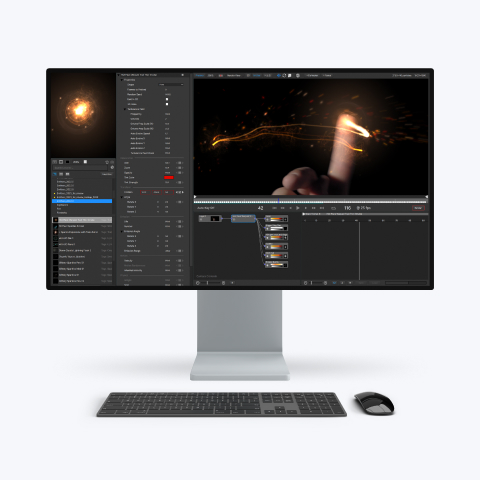
particleView (previously called "ShowIEL") is a free utility that allows you to view particleIllusion effects. With the new version you can now load any particleIllusion emitter library, including the ELC libraries created in Combustion.


Version 3.2 now contains an emitter search engine, a fullscreen mode, and the ability to hide the cursor!


Although it was originally intended as just a simple means to view what particleIllusion can do, we found out that it was a lot of fun to just "play around" with the various effects. We like fun, but we also like useful tools, so in this new release of particleView we've added a couple of features that make particleView something useful. Besides adding a "grab" feature (that saves the current image to a TGA image), you can now turn off erasing, so the particles "paint" themselves across the window.

We were surprised at how cool and useful this feature turned out to be:


particleView also contains an emitter search engine which allows you to type a key word from an emitter name, and all emitters (from every library you have installed) is displayed. An indispensible tool!


How do you use it?

When you run particleView, you'll need to select a particleIllusion Emitter Library file. Then you just click and drag around the window, creating particles as you go. You can change emitters (effects) by using the L and R arrow keys, or by using your mouse scroll wheel. Hit the "F1" key (on Windows) to bring up the help menu, which shows the other functions that are available. That's all there is to it.


Download

Windows users: If you already have the purchased or demo version of particleIllusion 3 (3.0.2 or newer) or particleIllusion SE (2.0.4 or newer), then you have particleView already. Check your Start - Programs - particleIllusion 3.0 (or SE) menu.

Download the full installers for particleView here:


Additional Emitter Libraries

The downloads above come with a "sampler" library -- it contains a few emitters (effects) from many of the dozens of different emitter libraries that are available for free download (current count is over 2300 emitters).
Click here to go to the emitter downloads page

After downloading emitter libraries (individually, or all in one file) you should unZip them into the "Emitter Libraries" folder of the particleView folder. You then load them in particleView by pressing the "L" key and selecting a file.


Did you know that we release a new emitter library every month? Each month's library contains a variety of different effects, all created with particleIllusion 3.0 (of course). As much fun and cool as particleView is, particleIllusion 3.0 is even more so, because in particleIllusion you can customize every effect and add them to your videos or images!

Visit our demos page to download


System Requirements

particleView (and particleIllusion for that matter) should run on most modern computers (anything made in the last 4 years) that has OpenGL 1.1 support.

Windows

Minimum System:
- Win 98/ME/NT4/2000/XP/Vista
- 800 MHz CPU
- 256 MB RAM
- Video card with OpenGL 1.1 support;
- 24 or 32 bit color depth
Mac

Minimum System:
- Mac OS X 10.2 or newer
- G4, G5, or Intel CPU
- 256 MB RAM
- Video card with OpenGL 1.1
- 24-bit (millions of colors)


Click here to let us know what you think about particleView