pro emitters:
overview
the artists,
testimony, &
reviews
pro emitter movies,
HD res images,
sample emitters
buy now:
 
Abstract - $39
Logo & Text - $39
Artistic Bkgrnds - $39
Graph. & Distort. - $39
Eclectic 01 - $39
Eclectic 02 - $39
Graphics Elem. 1 - $39
Graphics Elem. 2 - $39
Extreme Graphics - $39
Pyro 1 - $39
Pyro 2 - $39
Hearts - $39
 
Libs 7-9 - $90
Libs 10-12 - $90
 
Complete (All 12) - $329
 
more info
on libs 7-9
 
more info
on libs 10-12

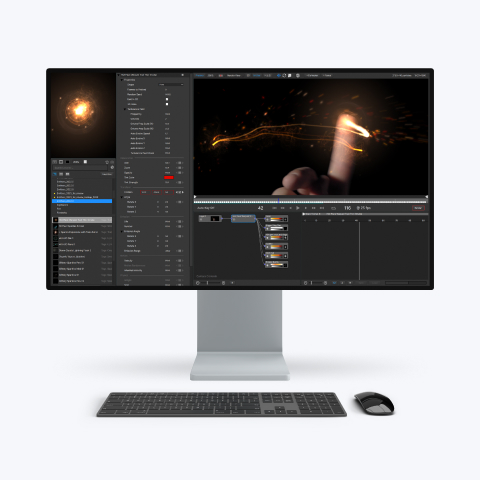
High-quality emitters
for particleIllusion 3.0

particleIllusion 3.0 is required

12 libraries
30 emitters each

Includes html docs
(catalog, usage notes,
modification tips)

Pro Emitters
FAQ


wondertouch Professional Emitter Libraries


What makes the Pro Emitters different from the emitters included with particleIllusion 3.0?


The short answer: Complexity, Variety, and The Artists


Complexity and Variety

While particleIllusion ships with a huge variety of preset effects that is updated each month (over 1800 emitters are currently included), and customizing the emitters or creating entirely new ones is relatively simple, some artists don't have the time, desire, or ability to experiment with creating new or complex effects.

The free emitters were created primarily by Alan Lorence of wondertouch, and it often takes a new perspective to come up with new ideas. The Pro Emitters were created by three leading particleIllusion artists who exhibit outstanding command of particleIllusion 3.0, have distinctive creative styles, and superior ability to create intricate particle-based effects.


The Artists

Tom Granberg  -   Tom, creator of the Pro Emitter Libraries "Eclectic 01 & 02", "Graphics Elements 1 & 2", and "Extreme Graphics" is a Norwegian graphic artist now living in Phoenix and working at Rainbow Studios producing some of today's most exciting action game titles including "MX vs. ATV Unleashed," "MX Unleashed," "ATV Offroad Fury 2," and "ATV Offroad Fury." As a particle effects artist, Tom borrows on both his game design and graphic arts influences to create realistic emitters that are often very complex and visually arresting. His particleIllusion explosions are considered among the best available.

Sasha Milica  -   Sasha, creator of the "Artistic Backgrounds" and Graphics & Distortions" Pro Emitter Libraries lives in St. Petersburg, Russia and has fine arts training in oil painting. Oddly enough, he does not work in the visual effects or motion graphics industries, but instead uses particleIllusion as a creative outlet - it's his hobby now (or "passion" as he puts it). Sasha often spends his evening hours 'playing' with particleIllusion, creating emitter variation after emitter variation. It is this enthusiasm for creating with particleIllusion that has lead to his discovery of some really awe-inspiring techniques.

Phalkunabba Rath  -   Cambodian born Rath, creator of the "Abstract" and "Text and Logo" Pro Emitter Libraries is presently studying photography in Long Beach, California. In his spare time he provides freelance work in media arts and animation and has also worked for Cambodian broadcasters KBN TV (Khmer Broadcasting Network television) and CAM-TV (Cambodian television). Rath has been using particleIllusion since the software's inception (when it was first released as "Illusion 1.0"). With no formal background in arts or graphic school training to speak of, he is mostly self-taught and uses particleIllusion for "everything". The "Abstract" and "Text and Logo" Pro Emitter Libraries he created represent only a small portion of his work. He has created hundreds of these types of emitters over the years. His recent "Pyro" libraries show that he has an eye for realism too, and his "Hearts" library is a continuation of his earlier abstract work.


Documentation

Included with every Pro Emitters library is complete documentation in html format.


This documentation includes an emitter index that can be viewed as text (emitter names) or thumbnail images, larger thumbnail images for each emitter, a description of the emitter, notes on how to best use the emitter, and instructions for creating interesting variations of the emitter. Not all of this information is included with every emitter since some emitters need little explanation, but there is a lot of information here. Reading through it all while experimenting with the emitters will give you more insight into advanced emitter creation.


What others are saying about the Pro Emitters:


"No matter how well we think we know particleIllusion, and how cool the FX are that we're able to create with it, these new 'Pro Emitters' are absolutely breathtaking. If you can't find something inspiring, useful and exciting in this potent new collection of emitters, then you're definitely in the wrong industry!"

Robert Taylor - executive producer and president - Pendulum Studios


"As a motion graphics artist working under tight deadlines in a broadcast environment, the bottom line for me is that these emitters are innovative and sophisticated with motion that is beautiful and eye-catching, and are immediately useful for production work. Those that may not present an obvious use right away quickly inspire spin-off ideas for ways they can be customized. You WILL see these on broadcast network television!"

Nathan Shipley - animator - IMS (Indianapolis Motor Speedway) Productions


"This collection of pro emitters demonstrates the wide range of possible applications for particleIllusion. From pyrotechnics to graphic design, this collection has a taste of everything!"

Mike Shand - VFX supervisor - Frantic Films


Pro Emitters Reviews


Aharon Rabinowitz of CreativeCow.net reviews the Pro Emitters 22 February 2006

Dave Nagel of DMN reviews the Pro Emitters 08 March 2006


NEW: Download a sampler library of the Pro Emitters to use in the particleIllusion 3 full and trial versions or particleView:

Download the April 2008 emitter library, which contains emitters based on one emitter from each of the 12 Pro Emitter libraries.

After downloading, unzip into your "Emitter Libraries" folder or anywhere, then use the "Load Library" function in particleIllusion 3 to load it. In particleView, just load the library as usual.

Note that you can also use the "Check for updates" feature of particleIllusion 3.0 (both full and trial versions) to download and install this library automatically.


next: movies showing all of the Pro Emitters in action, plus high-res images