|
|
 |
 |
 |
 |
 |
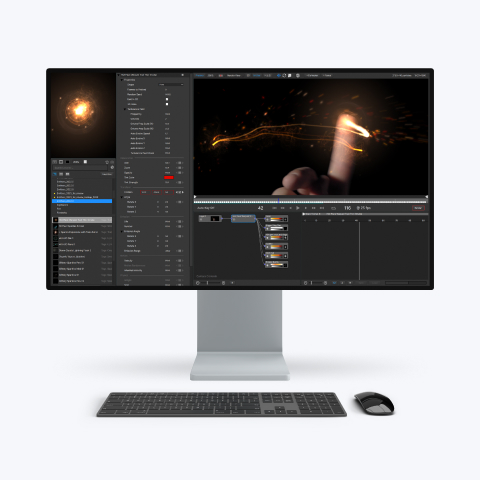
"particleIllusion for After Effects" is the After Effects plug-in version of particleIllusion |
 |
Works with most emitters available for particleIllusion 3.0, including
the Pro Emitters, and a new free library is released each month. |
 |
Available for Mac and Windows NOW |
 |
pIAE: $299 |
upgrade from pI3 for $179 (limited-time offer) |
 |
| |
| |
| |
| |
| |
|
|
 |
 |
|
particleIllusion for After Effects with particleIllusion 3.0
particleIllusion 3.0 ("pI3") is our standalone application for creating particle effects.
particleIllusion for After Effects ("pIAE") is the plug-in version of particleIllusion for Adobe After Effects.
Why would I want or need particleIllusion 3.0 along with particleIllusion for After Effects?
particleIllusion 3.0 is not required to use pIAE, but you may want to have them both for the following reasons.
- Most emitters that work in pI3 will work in pIAE. (pIAE and pI3 load the same emitter library files, including
the Pro Emitter Libraries).
- Although pIAE will give you access to a large number of parameters so you can do quite a lot of customization of
the emitters in your After Effects project, it won't give you access to every setting. (pIAE won't let you change things
that are in the various pages of the
emitter properties dialog in pI3.)
Therefore, you will need to use pI3 when you want to make changes that you can't
in pIAE (color gradients, particle images, image reference points, initial angle settings, adding particle types, and so on).
- You'll need to use pI3 to create new emitters, create new libraries, or move emitters between libraries.
- There may be some cases where you may find that using pI3 is actually faster and more convenient than using pIAE
(in complex compositions for instance).
- There will probably be some maximum number of emitters you can add with pIAE, but pI3 doesn't have this restriction.
For more information about particleIllusion 3.0:
Here's a video overview
Here are the product pages
|  |
 |
|
 |
 |
 |
 |
|