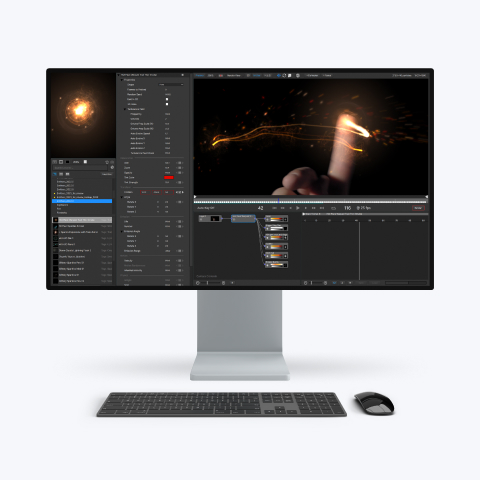
What's new in particleIllusion 3.0.4
(Changes from version 3.0.3)
Minor Changes
- When
Caps Lock is on, activation dialog will show at startup (Scroll lock
key does the same thing, but some Macs running Windows do not have a
Scroll Lock key).
- Additional codecs that support
alpha channel can be added by user via a text file (alphacodecs.txt).
- Added
better error handling when Auto Update can't connect to server.
- Added
"use audio from layer" function back in (was removed in 3.0.2). This
allows the output AVI to use the audio from the input AVI (if present).
- Maximum
stage size is now 20000 x 20000 pixels (where it was limited to 8192 x
8192 previously). Note that very large output sizes will probably only
work when pIllusionRender is set to use software rendering, and there
may be RAM issues.
- Changed the default
location where application updates and emitters are downloaded to allow
a common place for both types of files if the current user does not
have write access to the application folder.
Bug Fixes
- Deleting
an emitter from a project file would not remove the unused texure data
(so saved project files could be much larger than needed).
- When first free emitter type was toggled off in hierarchy window, when emitter properties dialog opened all free emitter types in the emitter would use the "disabled" icon, even though they weren't.
- Deleting a texture or texture group from Emitter Properties Dialog now correctly replaces the deleted texture referenced by an Emitter with a existing texture. (could cause crash before this)
- Toggling layer icons (bg image visible, objects visible, etc.) will now mark the project as modified (these settings have been saved in the project file all along)
- Copy
and then paste of a disabled Emitter in the Hierarchy now shows the
emitter disabled in both Hierarchy and Stage.
- Corrected
issue of not disabling buttons in Auto Update dialog when downloading.
- Corrected
issue where the "Select All"/"Select None" buttons would not reset
after a download.
- Would crash If WMV was picked
as the output file type and no profiles were found.
- If
User has no write access to Program Files folder (in a limited
account), no library backups were saved. (Will now write them to user
"Application Support" folder).
- Compression
controls would not always reset correctly when a new CODEC was picked.
What's
new in pIllusionRender 3.0.7 (installed with particleIllusion 3.0.4)
Minor
Changes
- When
Caps Lock is on, activation dialog will show at startup (Scroll
lock key does the same thing, but some Macs running Windows do not have
a Scroll Lock key).
- Additional codecs that support
alpha channel can be added by user via a text file (alphacodecs.txt).
- Added
"use audio from layer" function back in (was removed in 3.0.2). This
allows the output AVI to use the audio from the input AVI (if present).
Bug Fixes
- Renders
that did not start at frame 1 would not be identical to renders that
did start at frame 1. (So rendering frames 1-50, then stopping, then
rendering frames 51-100 from the same project file would produce a
visual discontinuity between frames 50 and 51). Now that this is fixed, rendering
pIllusion project files on a render farm is possible.
- If
project file had high quality motion blur option checked (even if
"motion blur" option was not checked), then passing the "-blur"
parameter on the commandline would use high-quality motion blur instead
of regular.
- When
no motion blur is used, saving alpha, and not starting at frame 1, the
frame before the first of the sequence is saved but with black RGB
channels.
- Would crash If WMV was picked as the
output file type and no profiles were found.
- If
User has no write access to Program Files folder (in a limited
account), no preview image or log could be created. (Will now write
them to user Application
Support folder). - Compression controls
may not reset correctly when a new CODEC is picked.
What's new in particleIllusion 3.0.3
(Changes from version 3.0.2)
Minor
Changes
- Holding SHIFT key while scrolling
the stage window accelerates the scroll by a factor of 5.
-
Added "Use new method of loading AVIs" preference. When checked, will
load AVIs using the new movie code. This option should be used when
AVIs don't load correctly.
- Added Newtek SpeedHQ
codecs to list of codecs that support alpha channel.
-
When can't connect to server, will allow updates dialog to be opened
still.
- When no updates available, still opens
updates dialog instead of showing message.
- Added
"Do not request accumulation buffer" option to OpenGL preferences.
(Should take care of issues with cards being put into software mode.)
- Added "-noupchek" commandline param to disable update checks
at startup (in case long timeouts at initial updatecheck cause user to
force app to quit)
- Added "checking for
updates..." status window when checking for updates.
Bug Fixes
- Would still put dropped emitters
in wrong place when drag and dropping in library window (sometimes).
Not 100% sure if this is fixed.
- After dragging a
folder to relocate it, the emitters in that folder could not be
relocated.
- After dragging a super emitter (in
the library properties dialog) to relocate it, clicking the "particles"
tab would show nothing (wouldn't select the first particle type of the
emitter).
- When "Save As" library with a new
name, the library button (below the preview window) would not show the
new name)
- Would skip the first frame of some
AVIs that were loaded.
- Sometimes when dragging
emitters in library window (or when doing a very slight drag when
selecting emitters) the emitter would move to the end of the last
folder.
- When stage zoom was not 100% and saving
output (answer "no" to automatically setting it to 100%), the output
image size was still 100% size. For example, 640x480 stage, 50% zoom,
output image size was 640x480.
- If Panasonic DV
codec was installed, would crash when loading a DV AVI.
-
Made changes to prevent crash with "bad" codecs (like Arcsoft Mpeg
Writer)
- When saving image files with weird
widths (631, 721, etc.) could crash or produce corrupted images.
- When saving output with fields and layer offset had a
"break" in it, the frame at the "break" would render one field at a
significantly wrong location.
- Would show "No
Internet Connection" error message 4 times when check for updates
couldn't find connection.
- Would show "no updates
available" message when update check occurred at startup (now only
shows that message when "check for updates" is done manually)
What's
new in pIllusionRender 3.0.6
Minor Changes
- Added "Use new
method of loading AVIs" preference. When checked, will load AVIs using
the new movie code. This option should be used when AVIs don't load
correctly.
- Added -reset commandline parameter
for a way to "reset default settings"
Bug Fixes
- Would skip the
first frame of some AVIs that were loaded.
- Codec
selected in dialog would not match codec shown in main window.
-
Made changes to prevent "bad" codecs from causing problems (like
Arcsoft Mpeg Writer).
- If Panasonic DV codec was
installed, would crash when loading a DV AVI.
-
When saving image files with weird widths (631, 721, etc.) could crash
or produce corrupted images.
- When saving output
with fields and layer offset had a "break" in it, the frame at the
"break" would render one field at a significantly wrong location.